Cartini
A wishlist and price-tracking app for thoughtful shopping.
Cartini saves things from any shop into lists, checks the price every day and tells you when it drops. It started as a Chrome extension and is being rebuilt as an iPhone app that saves straight from Safari.
The problem
Saved items end up spread across tabs, screenshots and store wishlists, and price drops are easy to miss.
Cartini keeps them in one place, watches the price for you, and only speaks up when something is worth knowing.
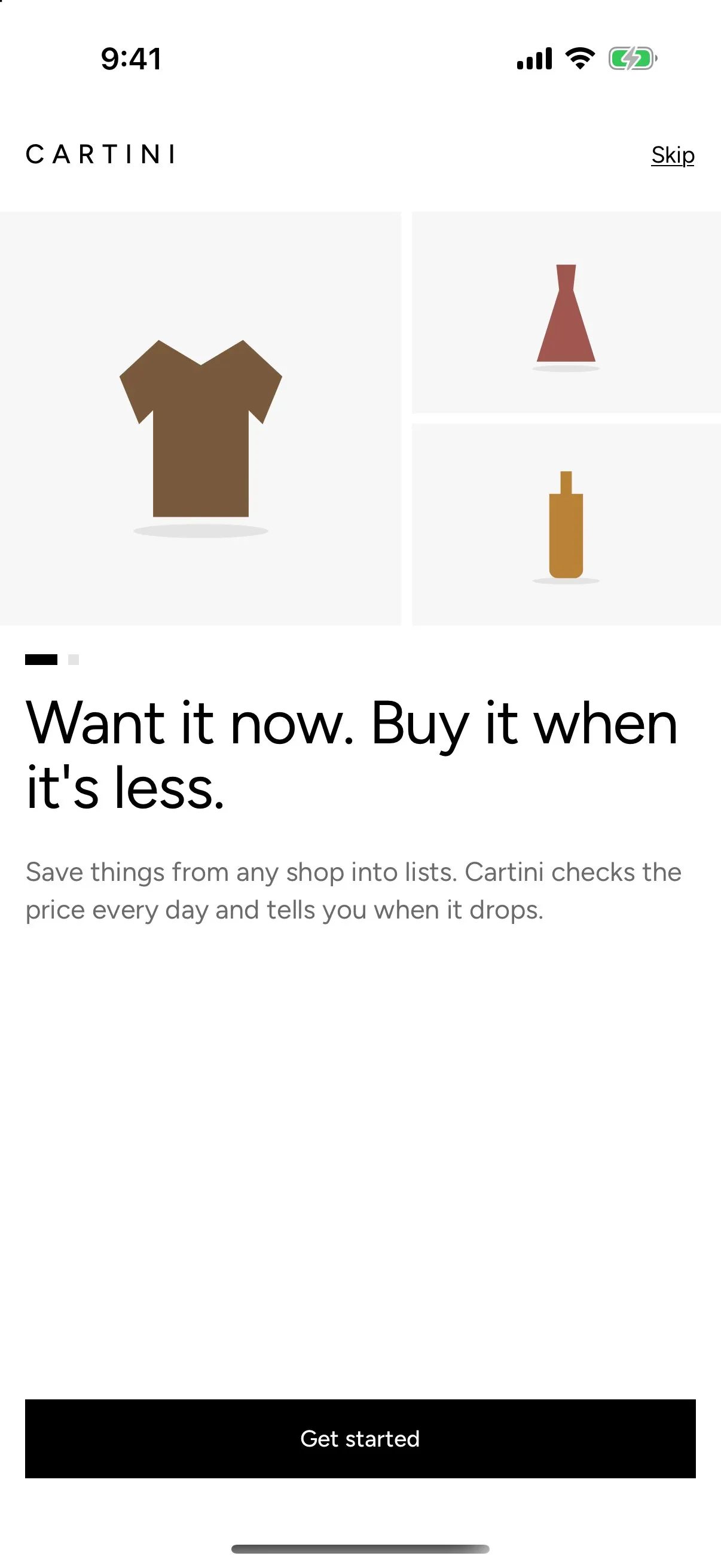
Want it now. Buy it when it’s less.
Who it is for
Online shoppers who save things to buy later: a coat for autumn, a gift idea, a refill for the bathroom shelf. People who would rather wait for the right price than check a page every day.
Savannah Black's role
Savannah Black founded Cartini through Susumu House and owns all of it: product, brand, design and engineering.
Cartini began as a Chrome extension with a web app for shared lists. It reached a launch checklist and a written Chrome Web Store listing, then paused before submission. In October 2026 it restarted as an iPhone app, in a monorepo that keeps the extension, web app and site next to a fresh Supabase backend, built phase by phase with AI coding agents.
Key decisions and trade-offs
Taken from the commit history of the iOS rebuild.
Phone first, saved from Safari
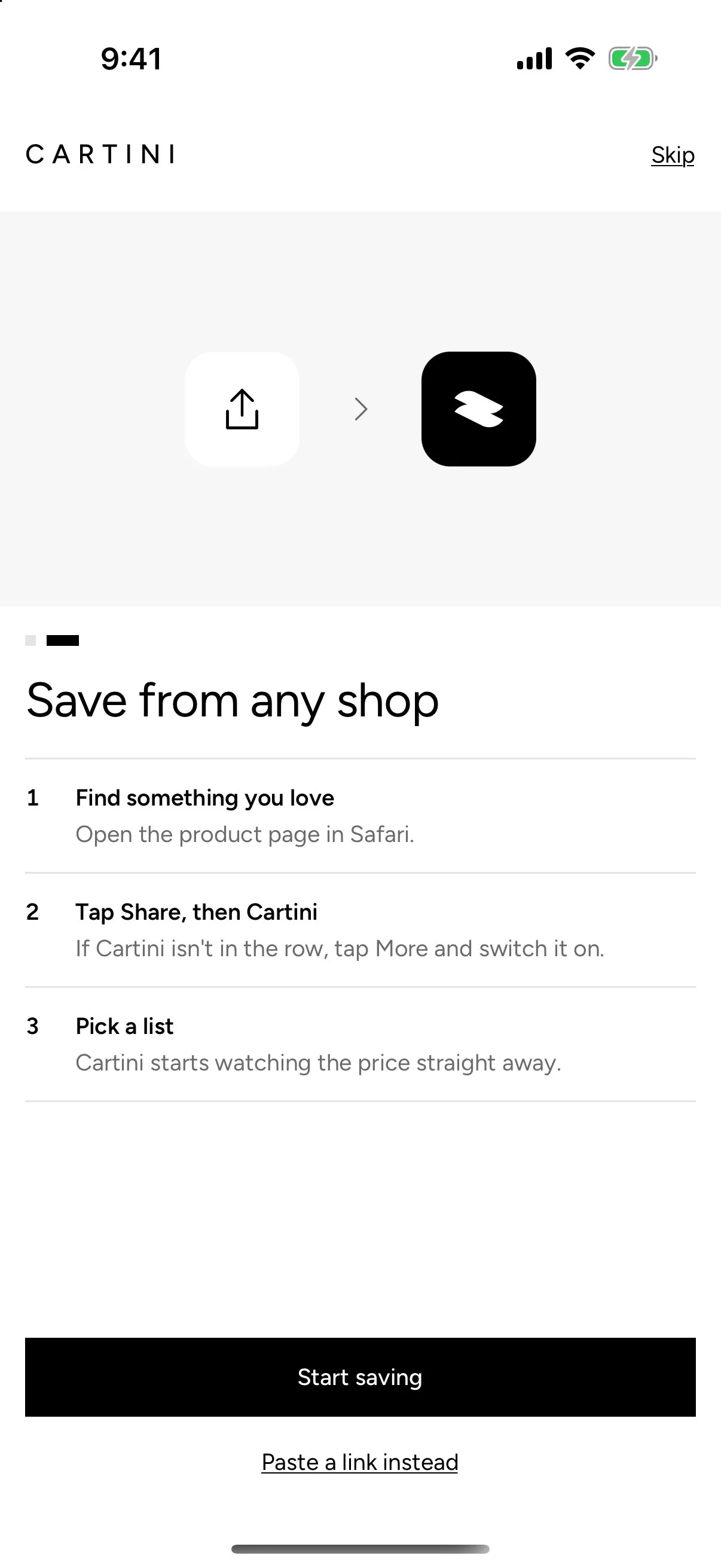
The rebuild moves Cartini from the desktop browser to the iPhone. A native Swift share extension saves from Safari into a queue in a shared app group, the same queue pasted links use, with a list picker that remembers your last list.
No sign-up to start
Accounts start anonymous on first launch, so saving needs nothing from you. Sharing a list asks you to sign in, because a public page needs an owner the database can trust.
Prices checked on the server
Each item is checked about once a day. History keeps only changes, alerts wait overnight in your time zone, and more than three at once arrive as one summary.
Works before the server exists
A preview backend keeps sample lists on the phone, so every screen could be built and tried end to end before Supabase was set up.
Careful with links
Share links use long random slugs. Store visits go straight through only to approved shops whose address matches the saved link, and anything else gets a "you’re leaving Cartini" page. Affiliate click ids carry no personal data.
A new look: Counter
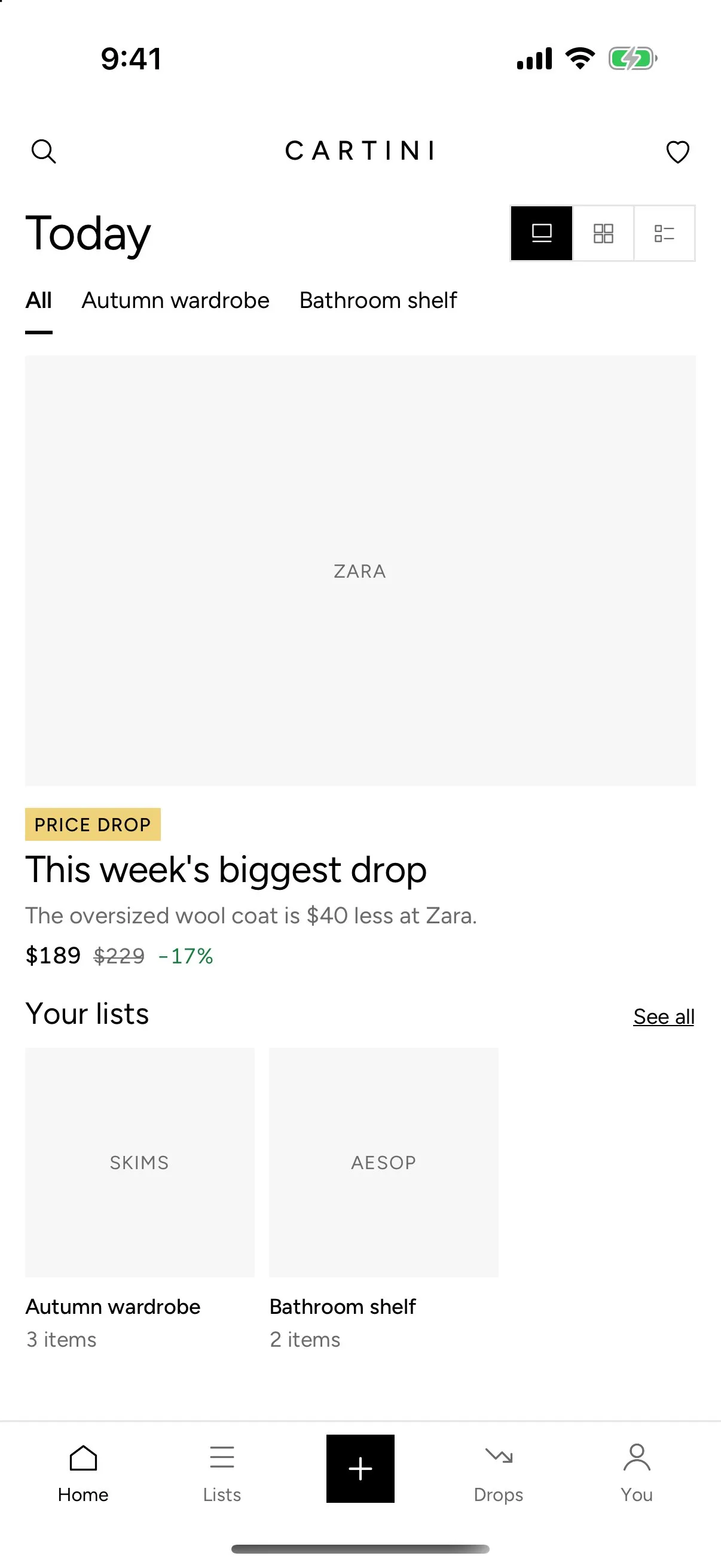
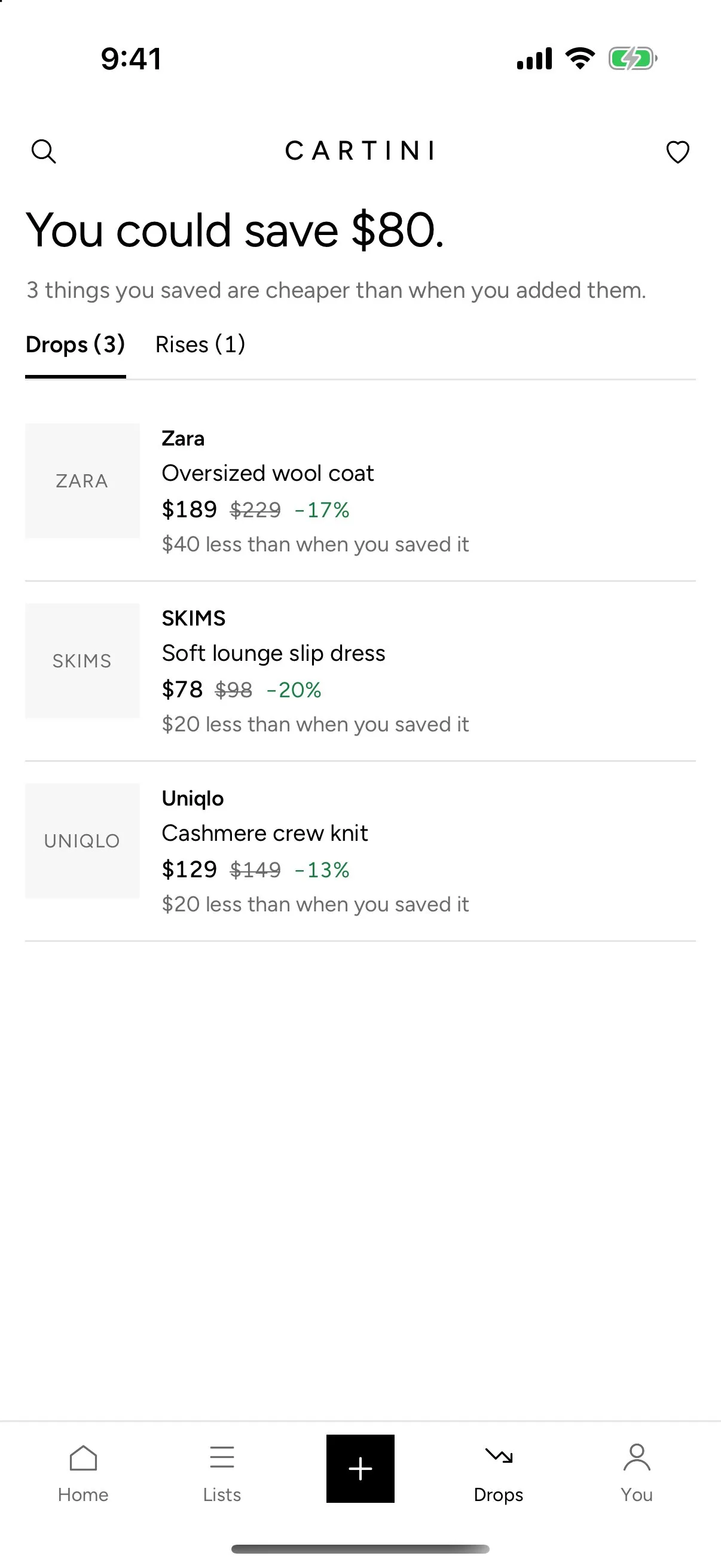
The rebuild replaced the old rose palette with Counter: black and white, a soft grey plinth behind every product, gold for highlights, green and red for drops and rises, Figtree type and a widely spaced CARTINI wordmark.
What has been built
In the iOS rebuild so far:
- An Expo app with a five-tab bar: Home, Lists, Save, Drops and You
- A Safari share extension in Swift, plus pasted links, both leading to one add screen with a product preview and list picker
- Product pages read on the phone for name, shop, price and image, with tracking parameters stripped
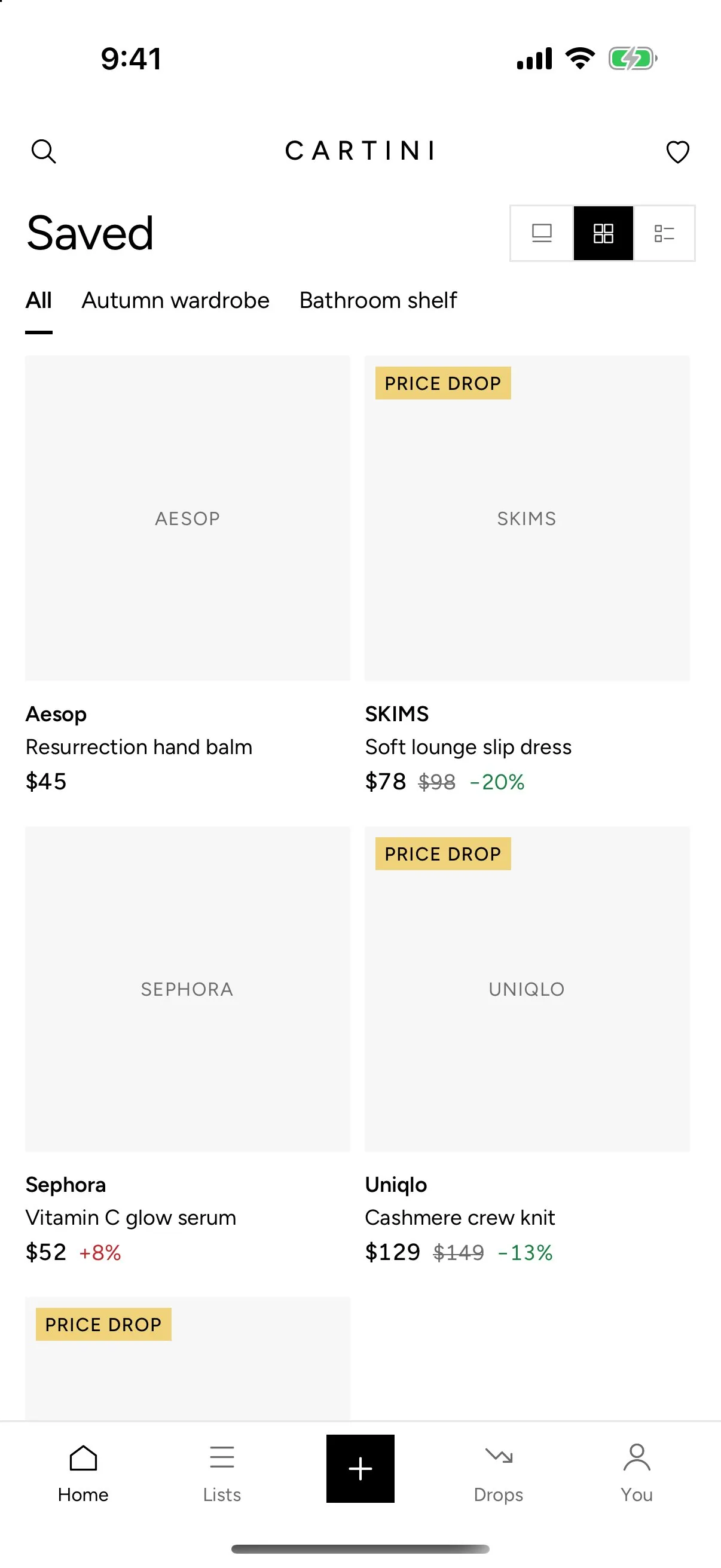
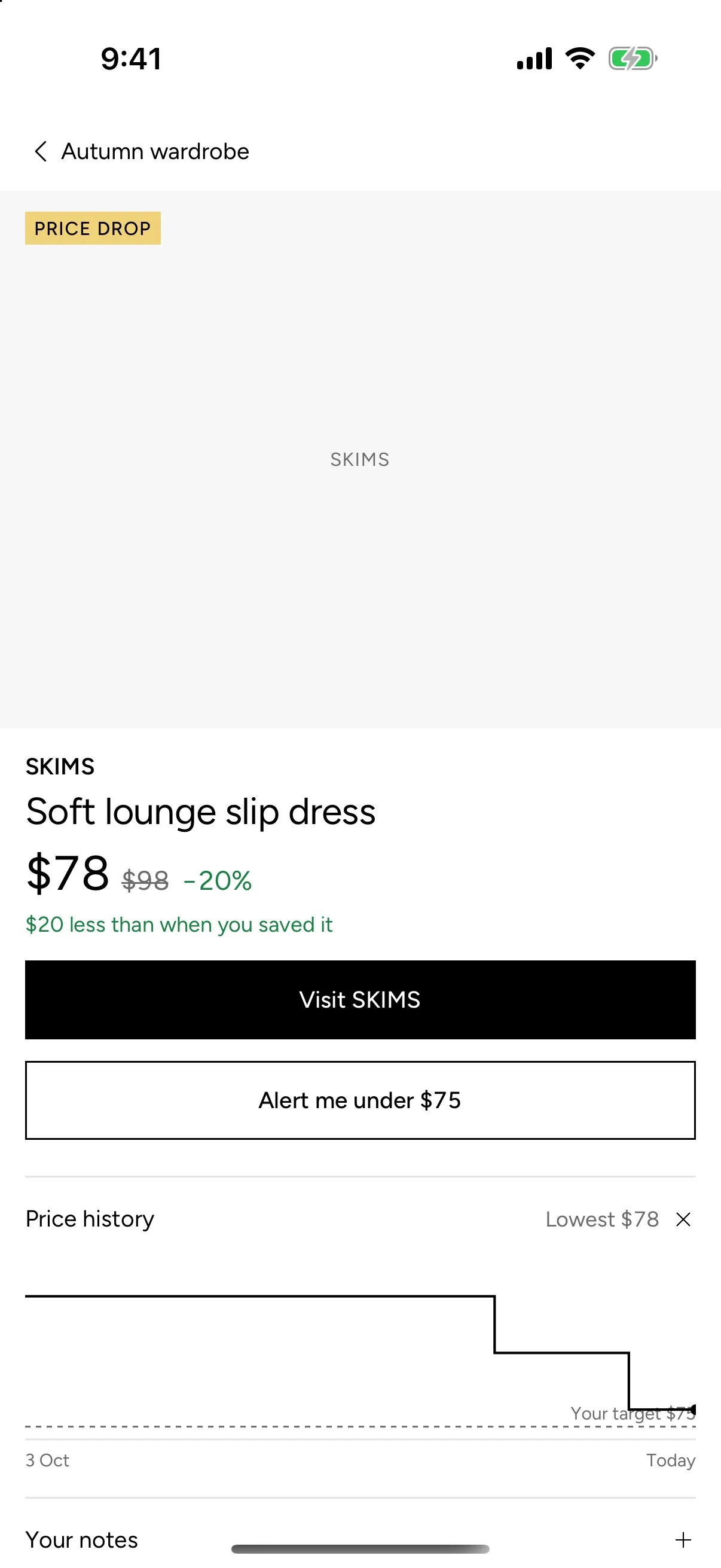
- Lists with filters, sort and one or two columns; items with a price history chart, price alerts, notes, inspiration photos and mark as bought
- Drops, with a running total of what you could save and a tab for price rises
- Shared lists as a public page, opened from the iOS share sheet
- Daily server price checks with push alerts
- Two-screen onboarding and the Interlock app icon
- A fresh Supabase schema with its access rules tested, and tests for the share page and store redirect
Screens
Captured in the iOS simulator with the app's sample lists. Product photos are left out; the grey plinths are the app's own placeholders.
Identity
Counter: black and white with a soft grey plinth behind every product, gold for highlights, green and red for drops and rises, Figtree type, a widely spaced wordmark and the Interlock mark.