Dayzie
A countdown app for the moments that matter.
Dayzie counts down to the dates that matter, or up from them, with widgets for the Home Screen and Lock Screen. It's being rebuilt from an early prototype for its first App Store release.
The problem
A calendar shows when something happens, not how close it is, so the moments people look forward to get lost among everyday entries.
Dayzie puts the number first: how many days until the trip, or how many since something began.
Who it is for
Anyone counting down to a trip, an event or a date they care about. Countdowns run both ways, so Dayzie holds the days since a move or an anniversary as well as the days until a wedding.
Savannah Black's role
Savannah Black founded Dayzie through Susumu House and owns all of it: product, brand, design and engineering.
The redesign came first, as 28 boards covering visual directions, the home screen, widgets, the editor, the event day, share cards, motion, haptics and App Store screenshots. Those became a design spec with exact values and a build plan with tasks, owner checkpoints and progress, which the build follows one task at a time with AI coding agents.
Key decisions and trade-offs
Taken from the decisions table in the build plan and the design spec.
Paper screens, glass chrome
White, paper-like screens carry the countdowns, and Liquid Glass is kept for the tab bar, floating buttons and sheets. Glass throughout and a dark Night direction were explored and set aside.
Pay once
Free for five events, then Dayzie Plus as a one-time purchase rather than a subscription, for more events, photo backgrounds, iCloud sync and calendar sync.
Data Not Collected
No analytics in 1.0 and no runtime dependencies. Crash reports come from Xcode Organizer, so the App Store privacy label can say Data Not Collected.
Count days the way people do
The prototype divided seconds by 86,400, which is off by an hour across daylight saving. The rebuild replaces it with tested countdown maths that works in calendar days.
Celebrate, or keep it quiet
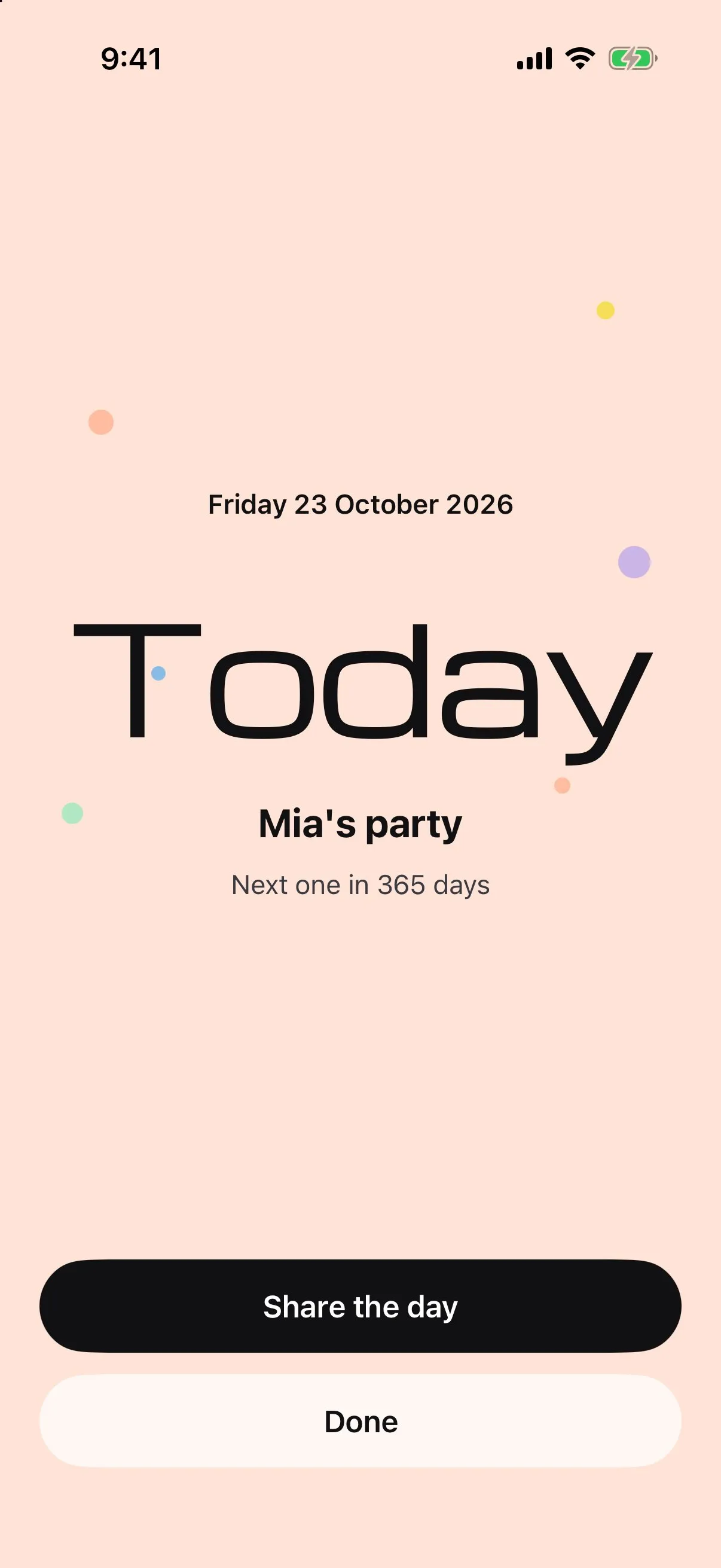
On the day, Dayzie celebrates by default, with a Quiet option per event. Timed events switch to a clock in the final hour, and one-off events ask "What now?" once they pass.
Textures only in the icon
The prototype's faceted card textures now appear only in the default app icon. Every screen, widget and share card uses flat pastel accents.
What has been built
Phases 0 to 5 of the build plan are done: foundations, data, the design system, the core screens, the event day and widgets.
- A SwiftData store in a shared App Group, so the app and widgets read the same events, with a one-time import of prototype events
- Reminders that reconcile on save, on launch and in the background, so repeating events keep their next reminders even if the app is not opened
- A design system with six accent trios, contrast tested to 4.5:1, and Michroma numerals that scale with Dynamic Type
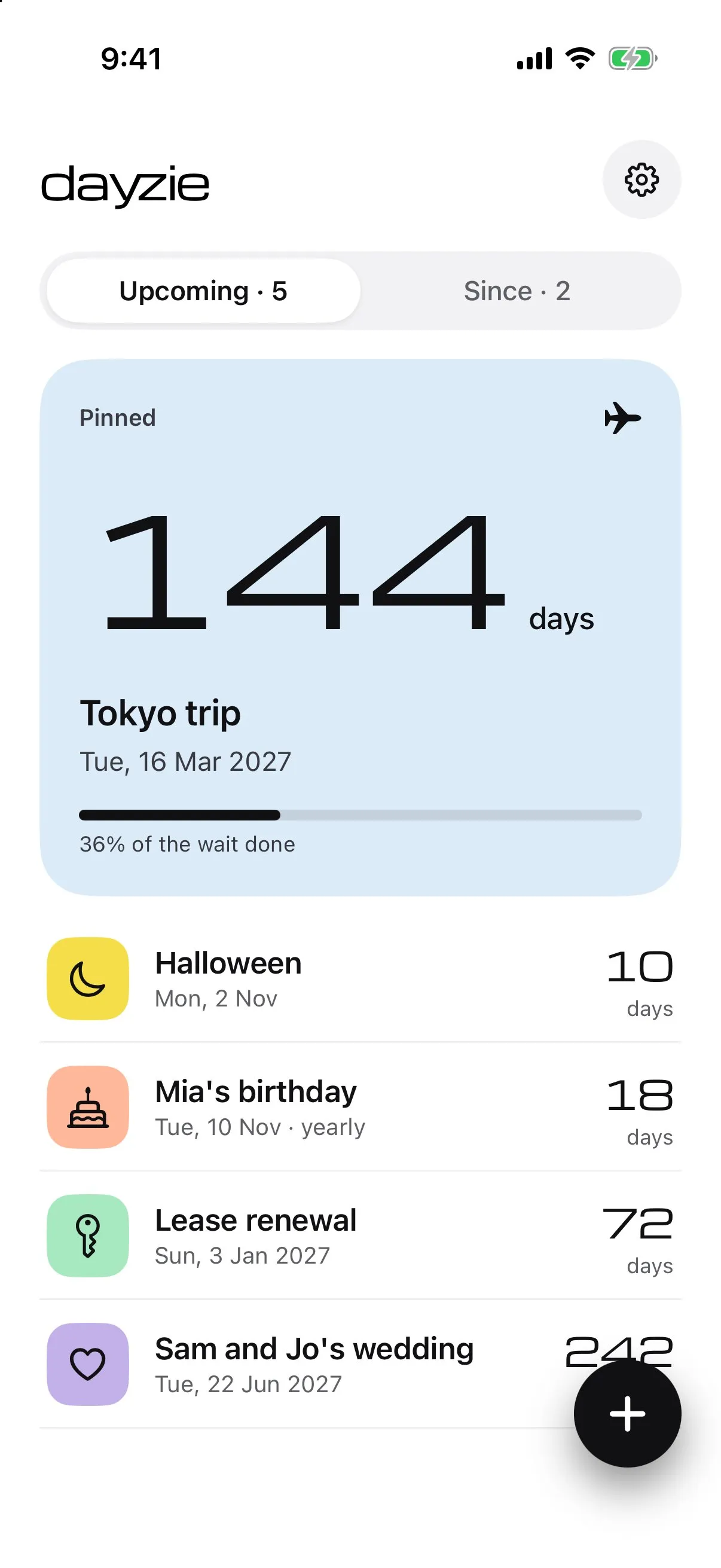
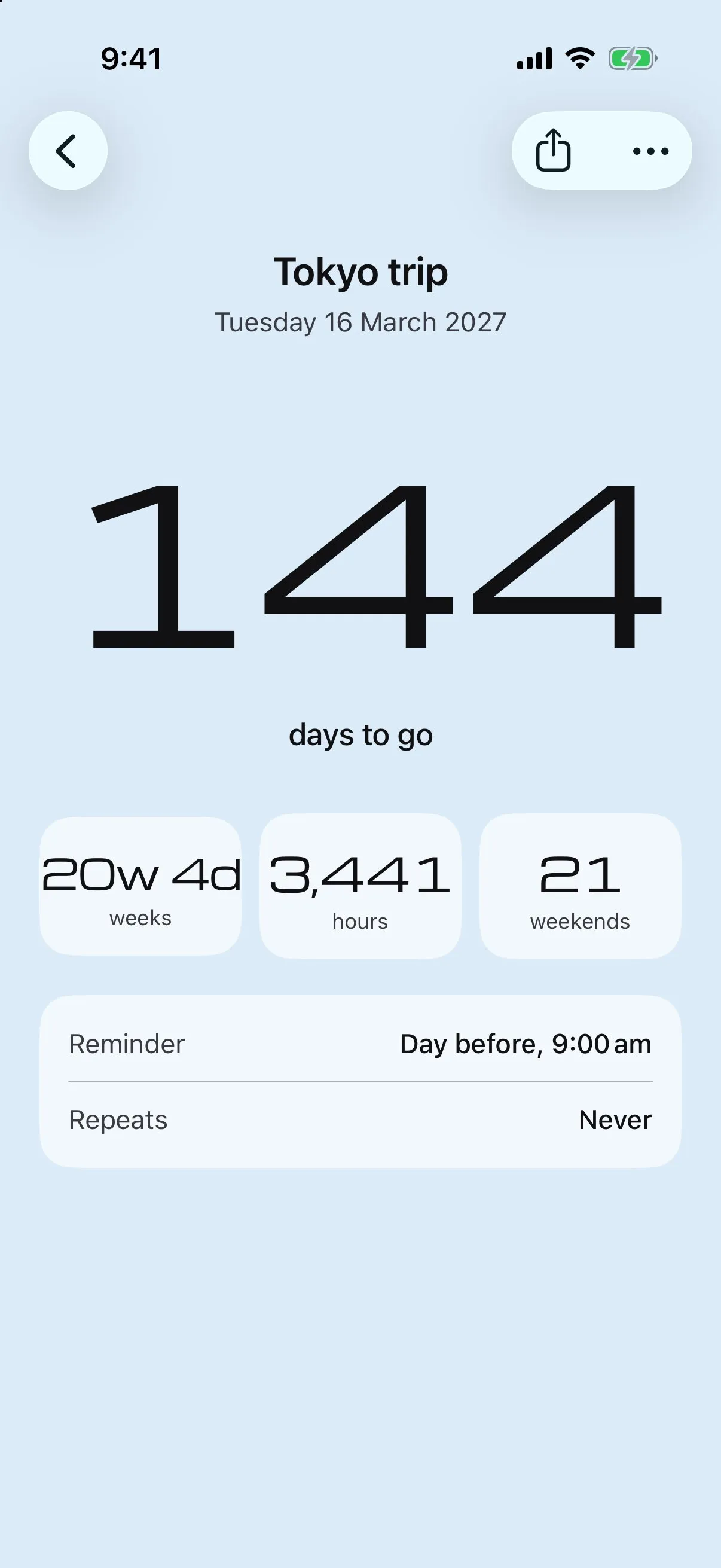
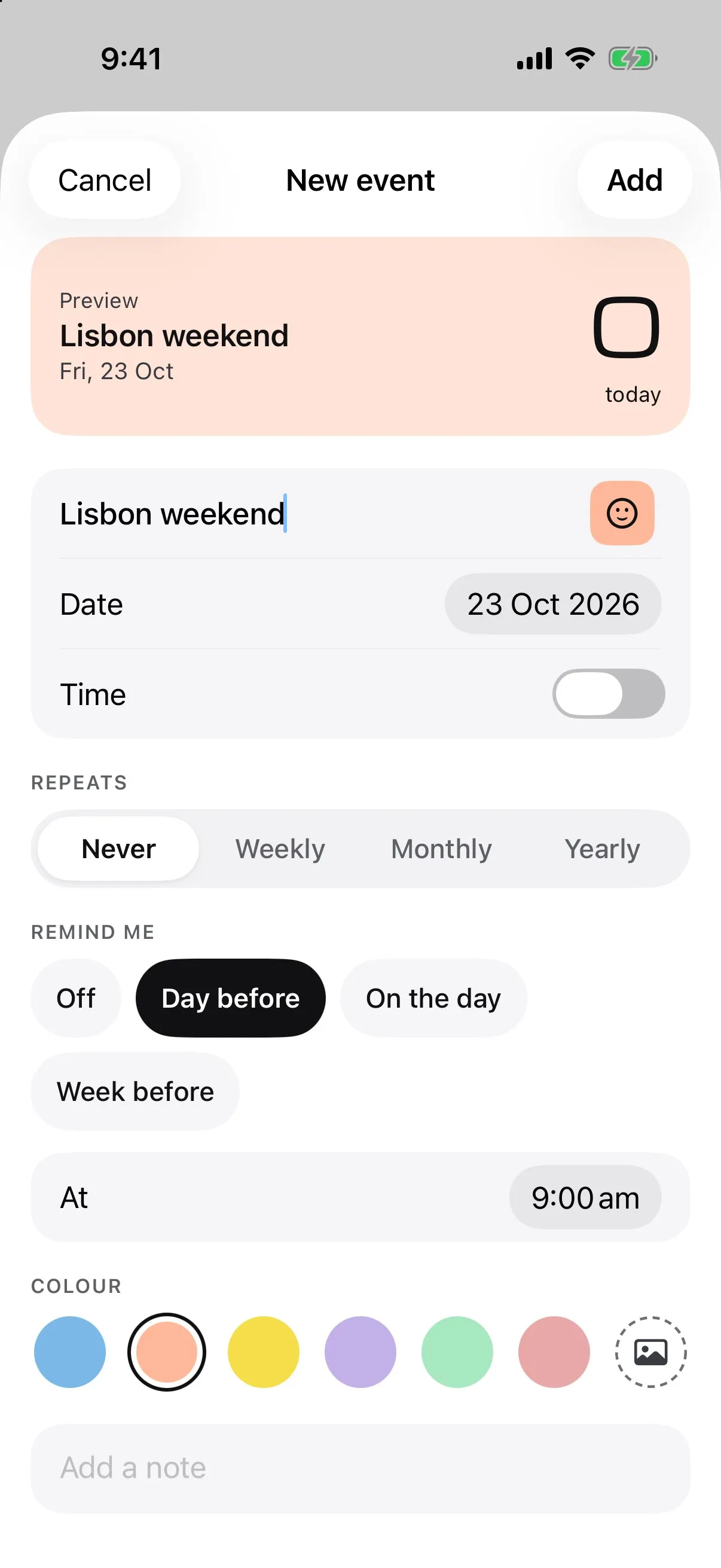
- Home with a pinned hero card, a detail screen with a zoom transition, a form-sheet editor, per-event styles and settings, all checked in dark mode and at the largest text sizes
- The event day: a celebration or a quiet mode, a final-hour clock and a "What now?" prompt after one-off events
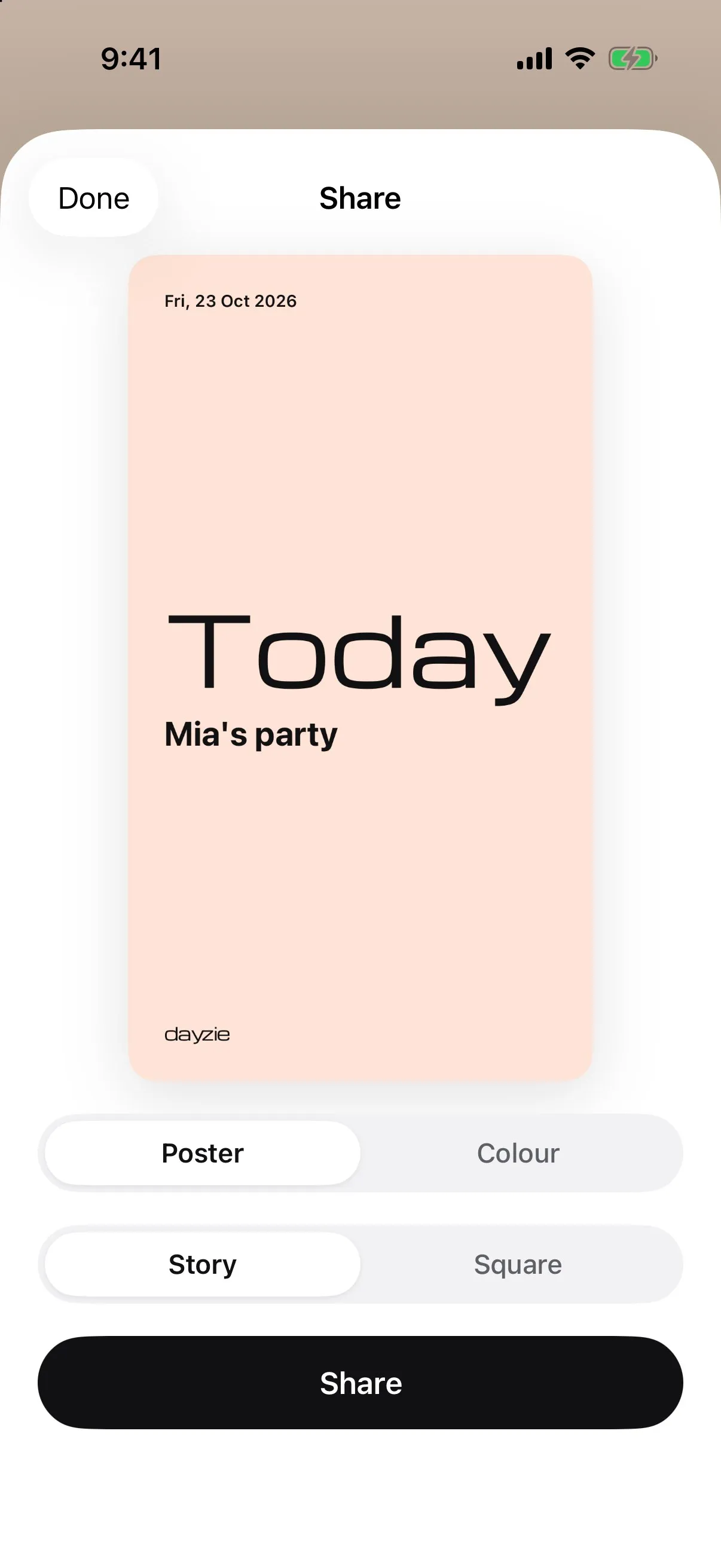
- Onboarding with templates, and Poster and Colour share cards in story and square sizes
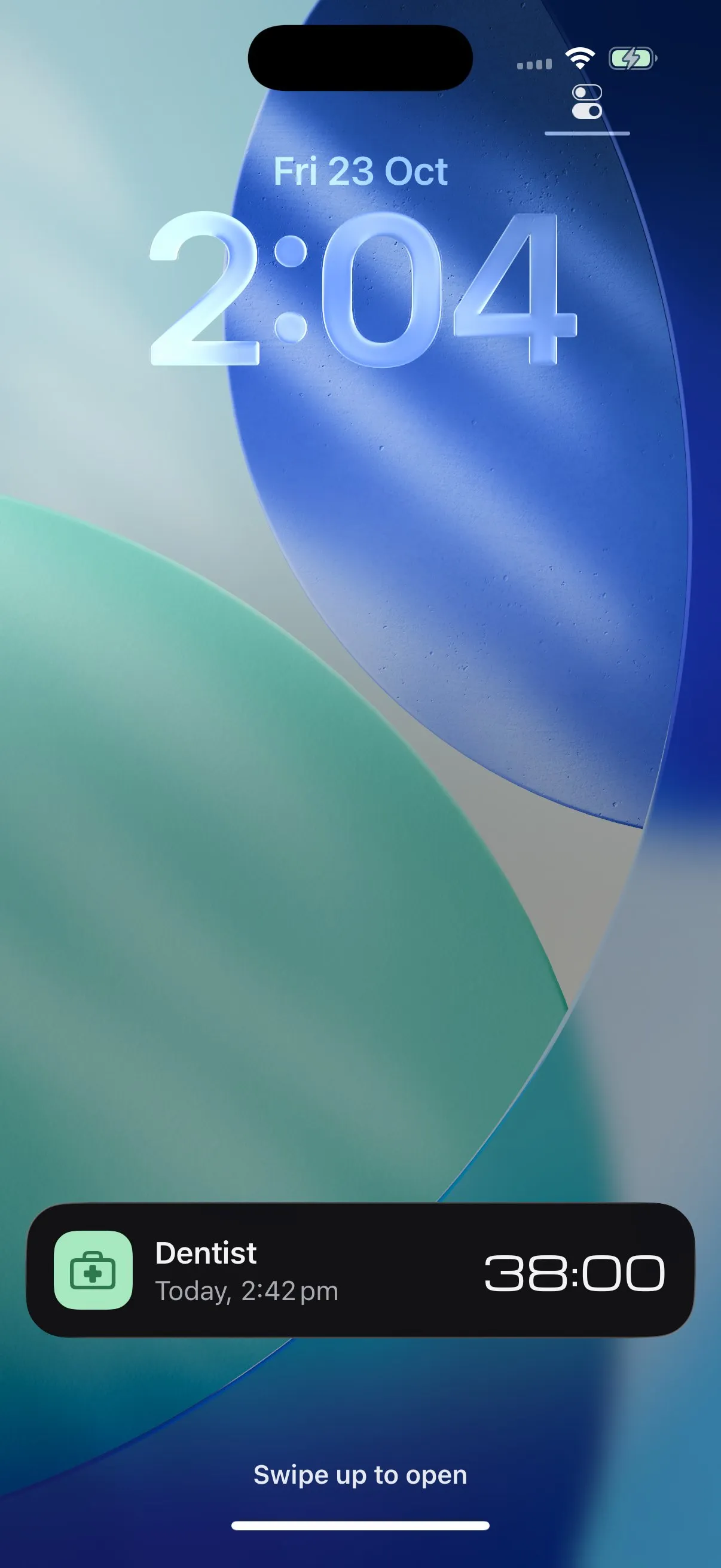
- Home Screen, Lock Screen and StandBy widgets, a Live Activity for the last 24 hours, and Siri and Shortcuts through App Intents
What's next
- Dayzie Plus with StoreKit 2, a pay-once paywall and restore
- iCloud sync, alternate app icons and one-way calendar sync for Plus
- The website, an accessibility audit, performance work and a test matrix
- TestFlight, then App Store submission
- In 1.1: shared countdowns, natural-language entry and new ways to make time visible
Screens
Captured in the iOS simulator with the app's sample events.
Identity
A Michroma wordmark drawn as one outline, with the y running straight into the z, Michroma numerals for every countdown, and six pastel accents that each come as a trio: pastel, soft fill and deep.